![ori_app_logo-oat.svg]](https://support.orilearning.com/hubfs/ori_app_logo-oat.svg)
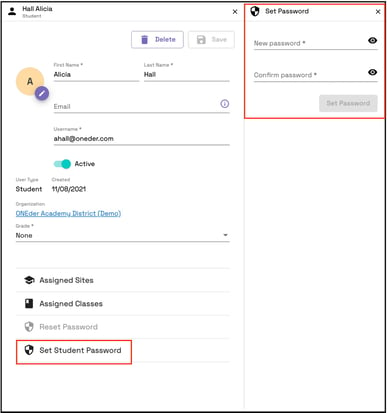
To set a password for a student, simply go to the student's account and select "Set Student Password". Proceed to enter the new password, confirm it, and then click on "Set Password".
To send a reset password email to students to reset their own password, click "Reset Password".
Password rules: The password must be a minimum of 8 characters long and include at least one uppercase letter, one lowercase letter, and one special character or digit.