![ori_app_logo-oat.svg]](https://support.orilearning.com/hubfs/ori_app_logo-oat.svg)
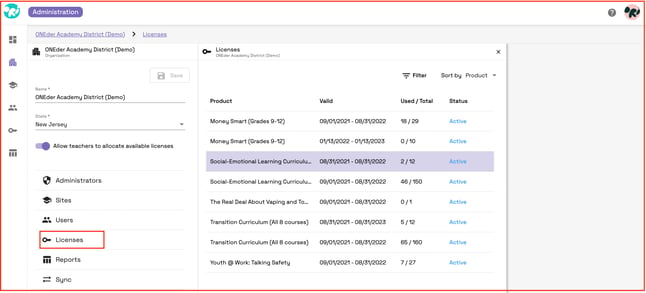
To access the details of the district's subscriptions, go to the licenses tab. Utilize the filter to see active, expired, and upcoming expirations of subscriptions. You will be able to see the start and end dates of each subscription, the quantity of licenses purchased, and the number of licenses in use.